 UkeUp
Your own progressions
Add chords, pick CAGFD or CAGED positions and save favorites. Example progressions for beginner, intermediate and advanced.
Ukulele chords and progressions appAvailable on Google Play
UkeUp helps you build progressions, browse a chord dictionary with CAGFD or CAGED shapes, and tune GCEA or baritone DGBE.


Made for ukulele players who want a clear tool, with no account. The Android version shows ads.
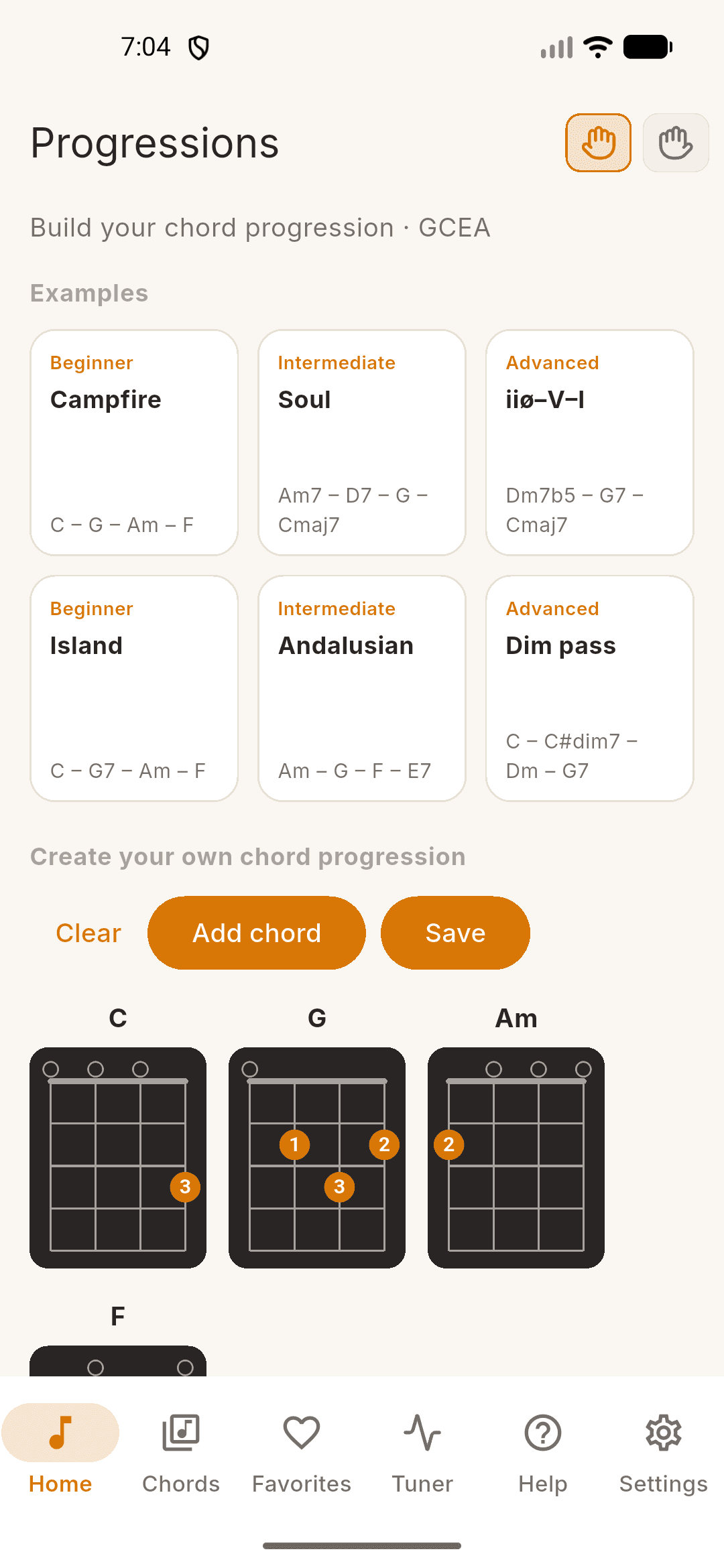
Add chords, see the diagram and tap to change neck position. Finger shapes are the same on soprano/concert/tenor (GCEA) and baritone (DGBE); the chord name and system letter change.
The dictionary covers basic and advanced qualities. Save progressions in Favorites and tune with the microphone.
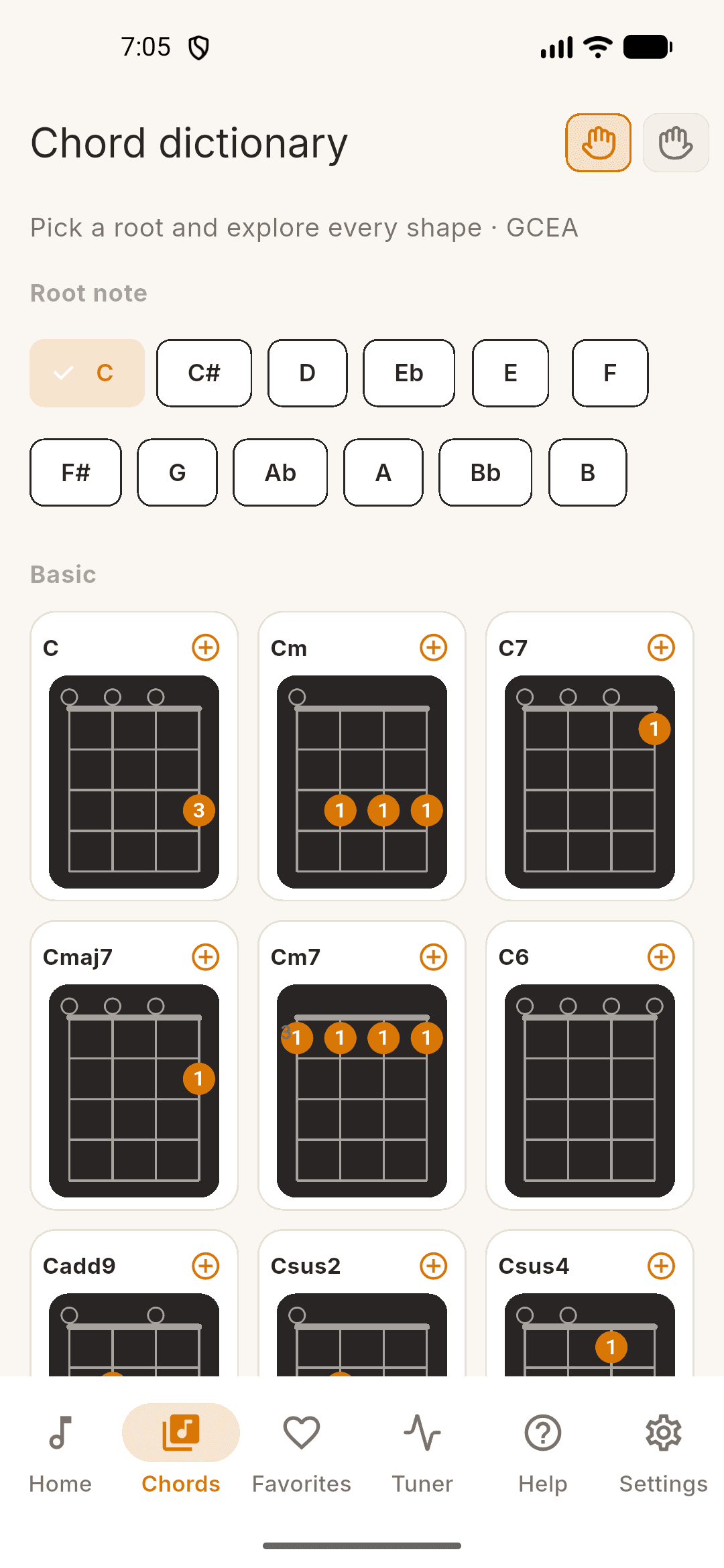
From any root browse major, minor, sevenths, diminished, augmented, sus and more. Every shape sounds the chord on the label.
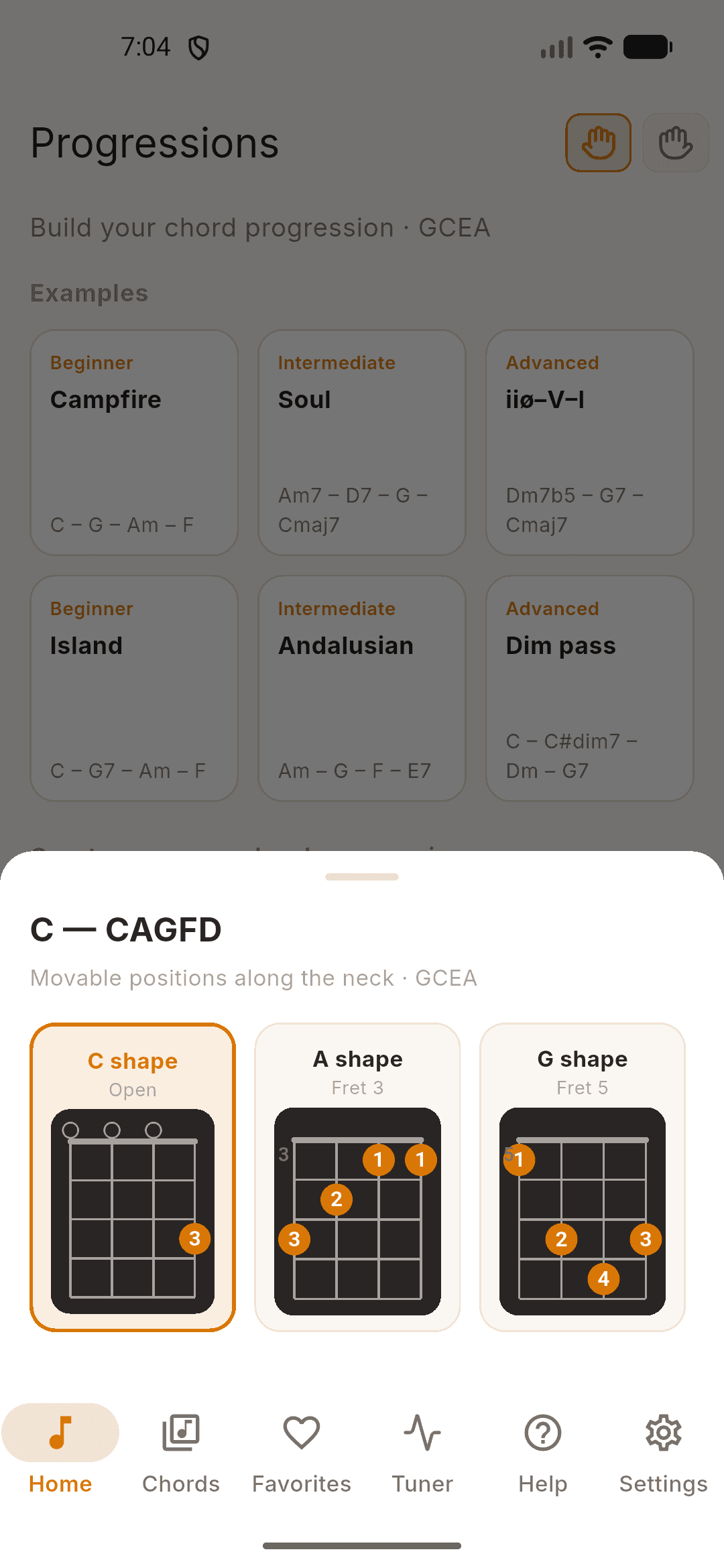
Tap a diagram to see its positions. On GCEA the system is CAGFD; on baritone, CAGED.
Add chords, pick CAGFD or CAGED positions and save favorites. Example progressions for beginner, intermediate and advanced.
Every quality from a root: basic and advanced. Tap a diagram for movable shapes; + adds it to your progression.
GCEA and baritone DGBE share fingerings. The sounding chord and the shape letter always match the instrument.
Tune GCEA or DGBE with the microphone. Reference tones per string, no account required.
UkeUp is a ukulele app for building chord progressions, browsing a chord dictionary and tuning your instrument. It supports GCEA (soprano, concert, tenor) and baritone DGBE.
Soprano, concert and tenor use GCEA. Baritone uses DGBE: the same finger shapes, with chord names a fourth lower (CAGFD on GCEA, CAGED on baritone).
Tap a diagram to see its positions along the neck. On GCEA they are labelled CAGFD; on baritone the same grips use guitar CAGED letters.
Pick a root and browse basic qualities (major, minor, 7, maj7, m7, 6, add9, sus2, sus4) and advanced ones (dim, dim7, m7b5, aug, m6). Every shape contains the correct notes.
Yes. Build a progression on Home, save it, then open, rename or delete it from Favorites.
No. UkeUp works on the device with no account. The Android version shows ads. The tuner uses the microphone only while you tune; audio is never recorded.
The Android version is on Google Play. The iOS version is not on the App Store yet.
Progressions, dictionary and tuner for GCEA and baritone ukulele. Available on Google Play. Coming soon to the App Store.
Google Play · App Store